Screenshots
A walkthrough of the KitaManager user interface, showing the key screens you will use day to day. All screenshots show the included demo data (“Kita Sonnenschein”).
Login
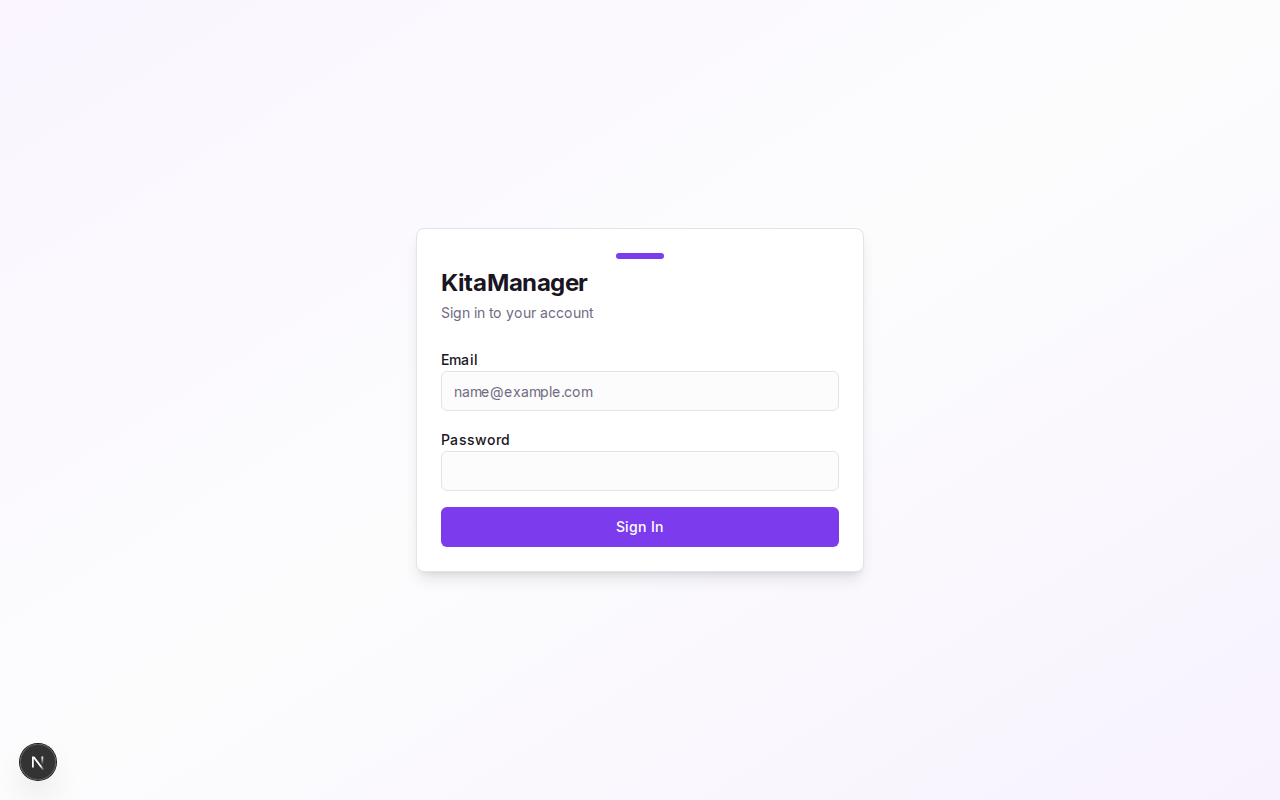
The login page — enter your email and password to access KitaManager.
Dashboard
The dashboard gives you an at-a-glance overview of your Kita: active employees, active children, staffing coverage, and alerts for children without vouchers, contract mismatches, upcoming enrollments, and section age limits.
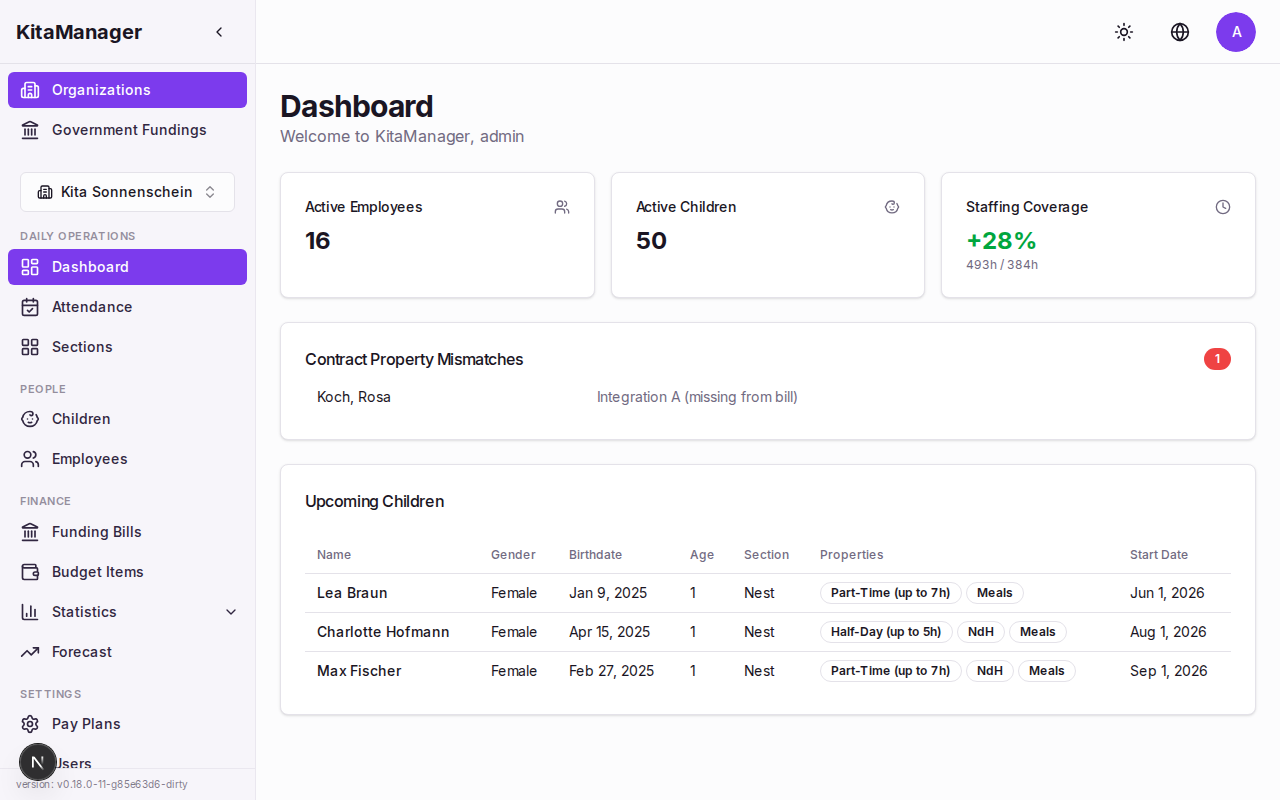
The dashboard with summary cards and alerts for your organization.
Sections
Sections represent the groups within your Kita (e.g., Nest, Nestflüchter, Große). Drag and drop children between sections to reassign them.
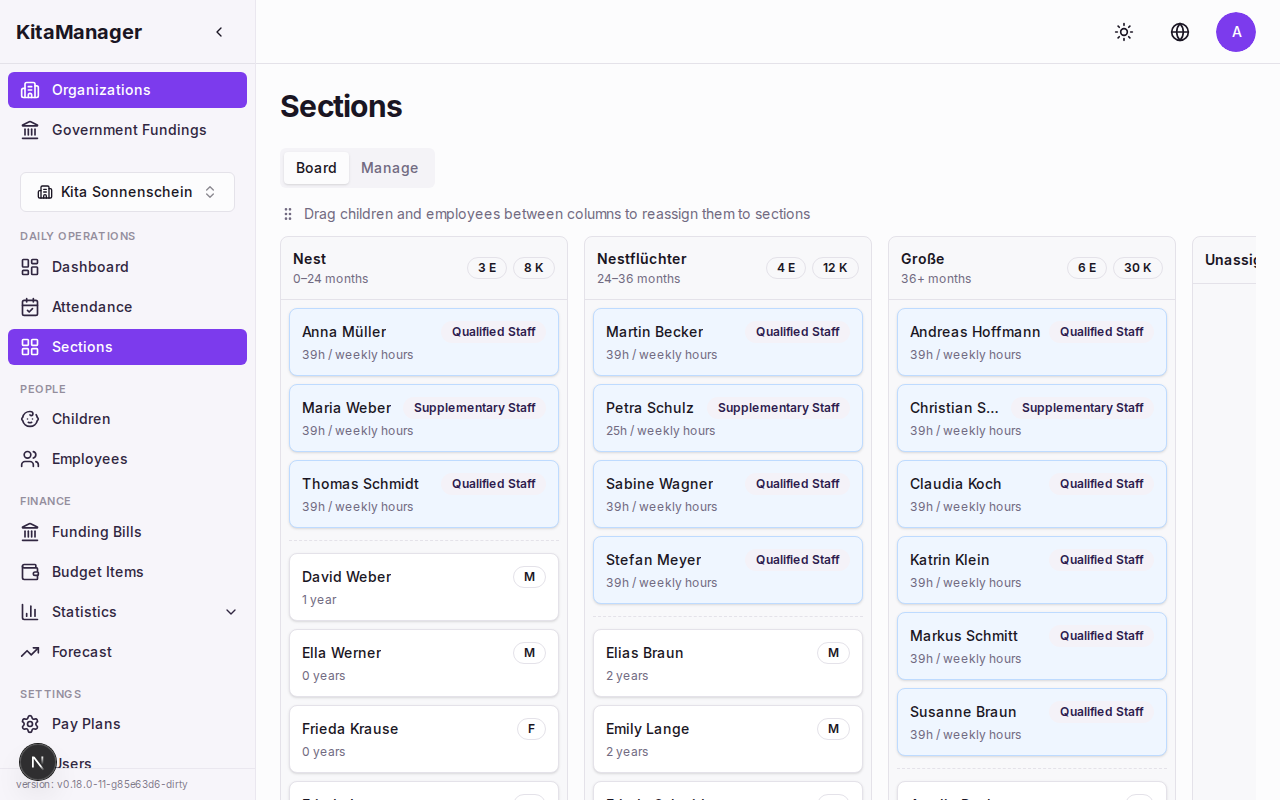
The sections board with drag-and-drop for moving children between groups.
Employees
The employee list shows all staff members with their salary grade, weekly hours, and years of service. Hover over column headers for explanations.
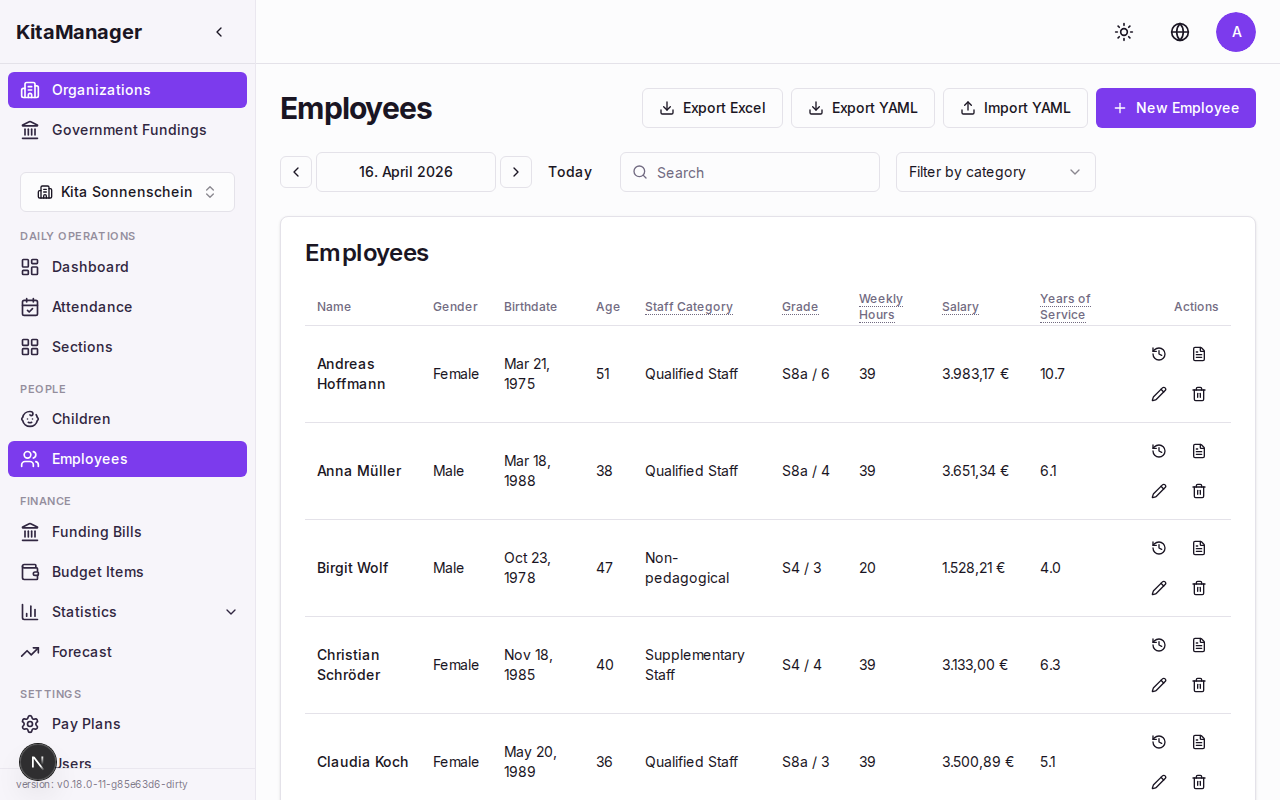
Employee overview with salary, grade, and staffing information.
Children
The children list shows every enrolled child with their calculated funding amount, FTE requirement, and billing difference.
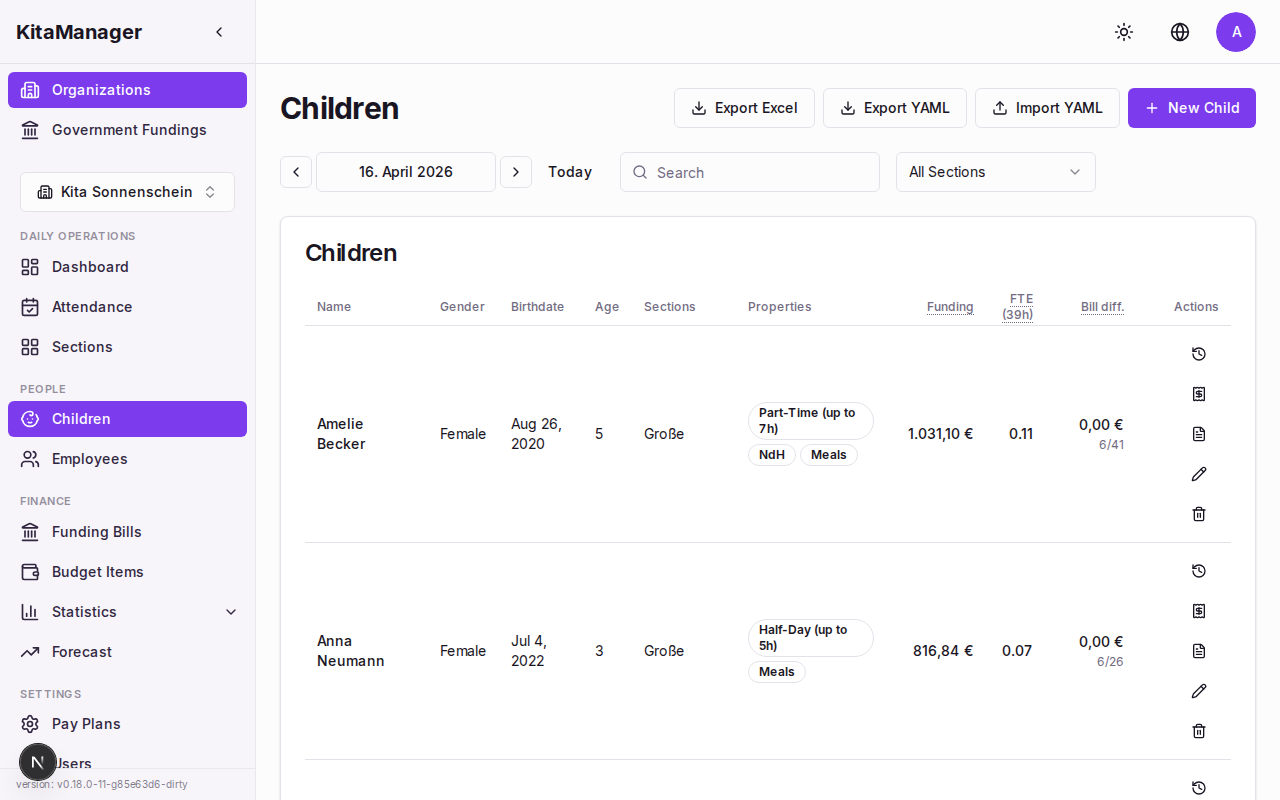
Children overview showing enrollment, funding amounts, and billing differences.
Statistics
The statistics hub provides access to all reports: financials, staffing, children, occupancy, budget, and forecast.
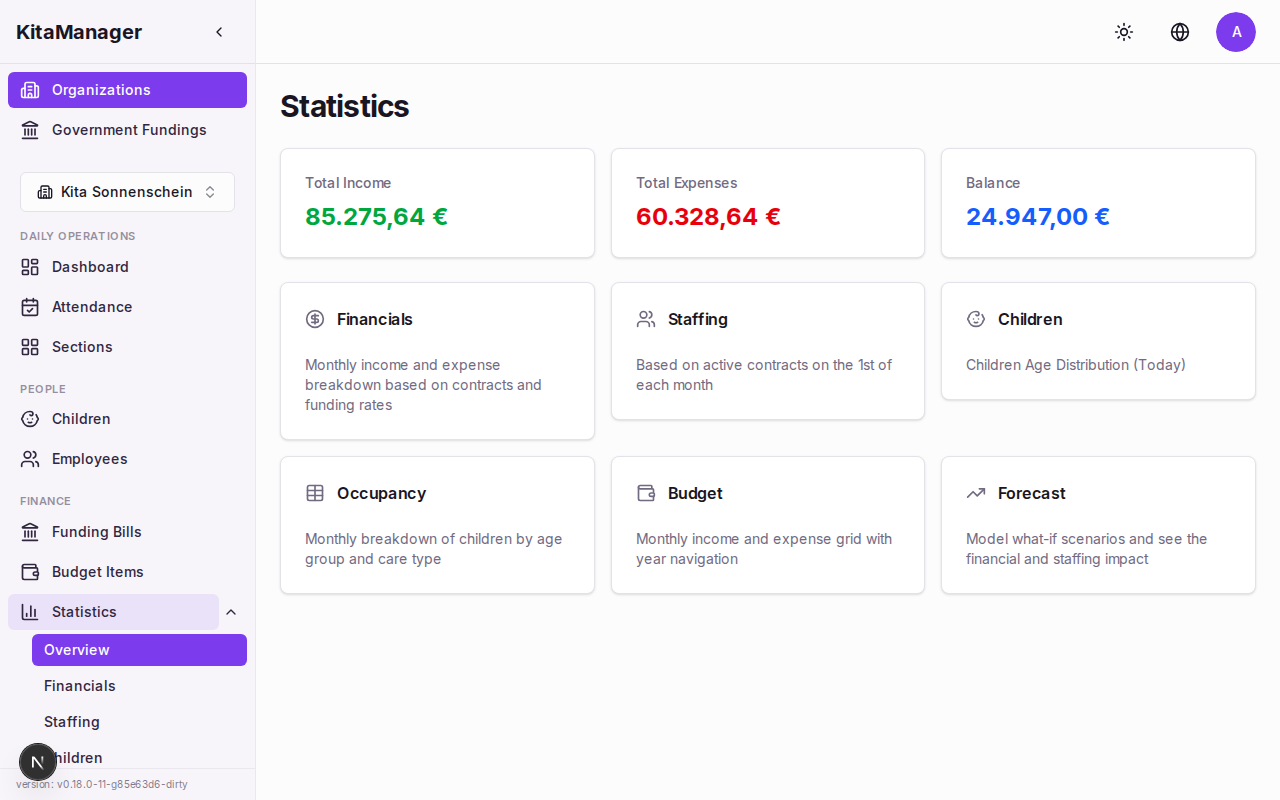
The statistics hub with summary cards for income, expenses, and balance.
Financial Overview
The financial overview shows income vs. expenses over time with a balance trend line.
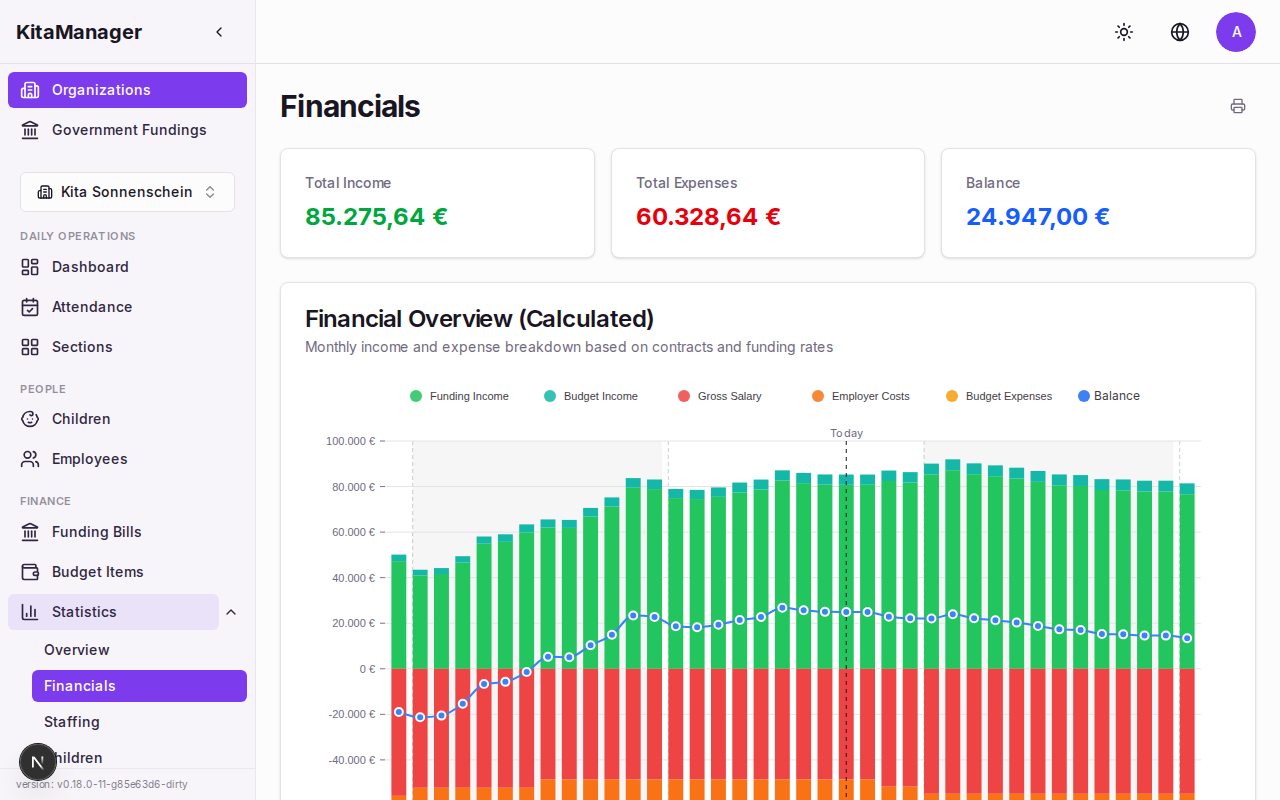
Financial charts with income, expenses, and balance trend.
The actual-vs-calculated funding comparison shows whether the government is paying correctly, with per-kita-year totals and deficit analysis.
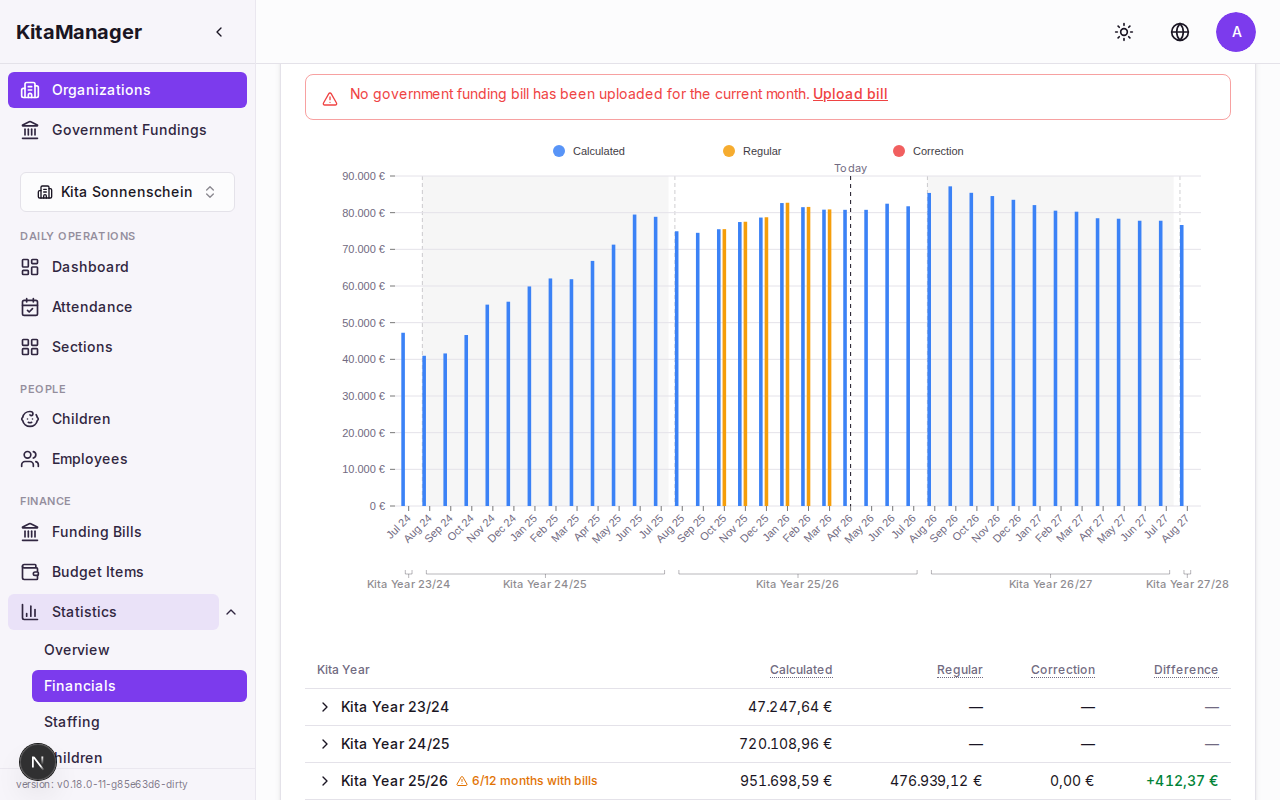
Actual government funding compared to calculated amounts.
The cumulative balance chart tracks your running financial position. Red bars mark deficit periods.
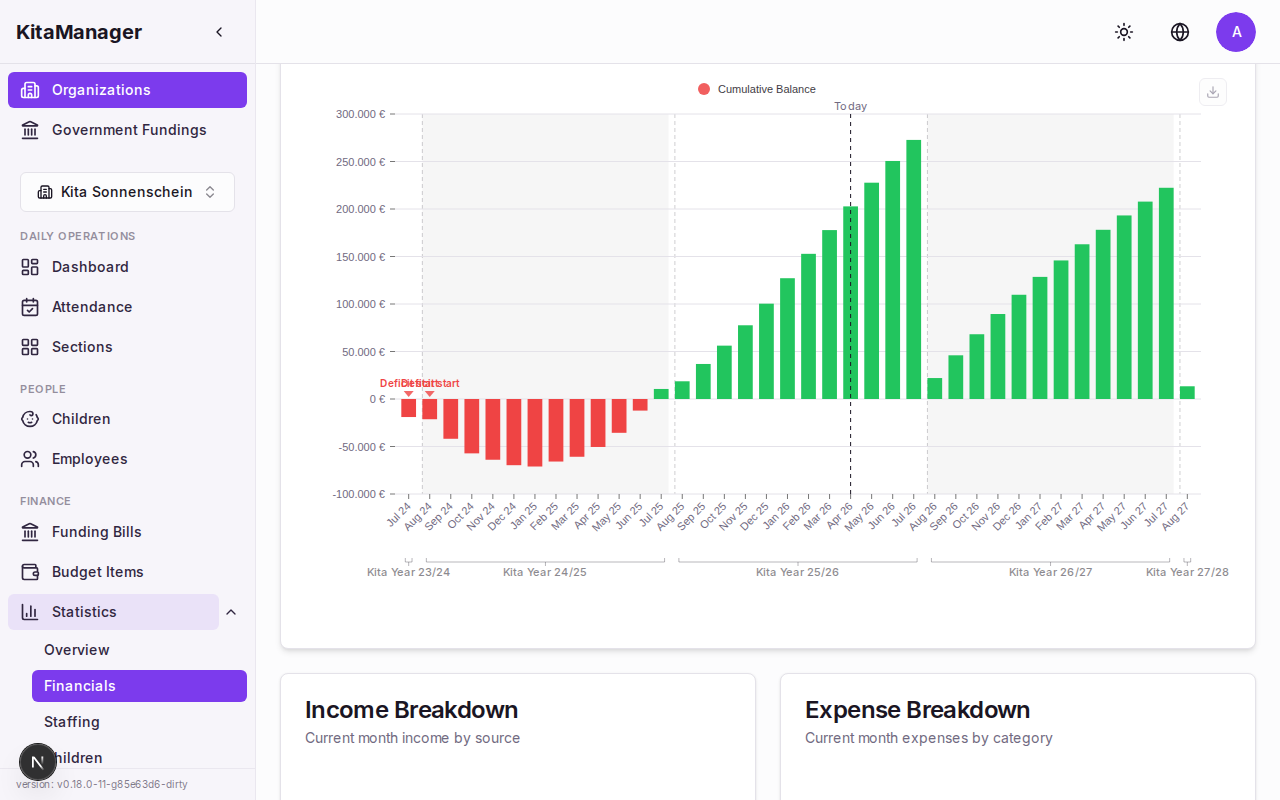
Cumulative balance with deficit markers.
The budget overview table shows monthly income and expenses side by side.
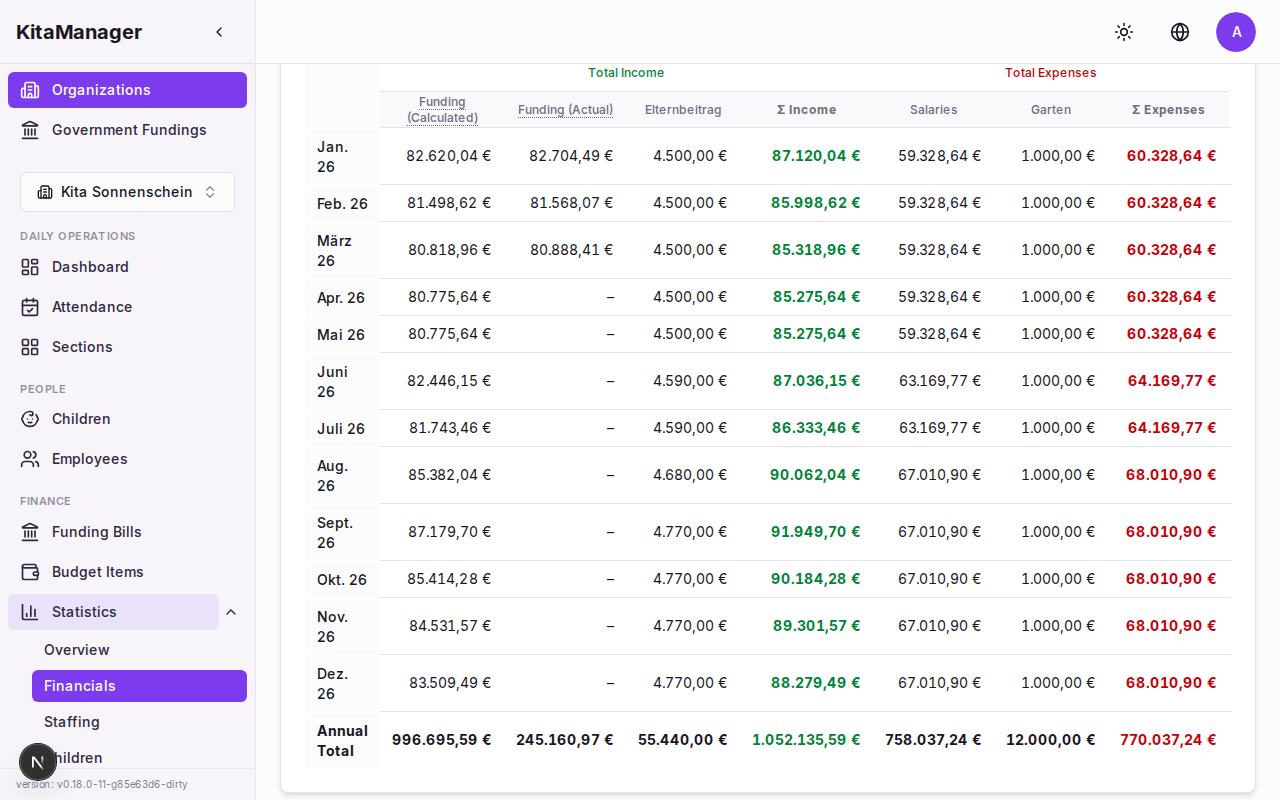
Monthly budget breakdown with income, expenses, and balance.
Government Funding Bills
Upload ISBJ Excel files to compare government billing against calculated amounts. Navigate by Kita year, see a summary of matches and differences.
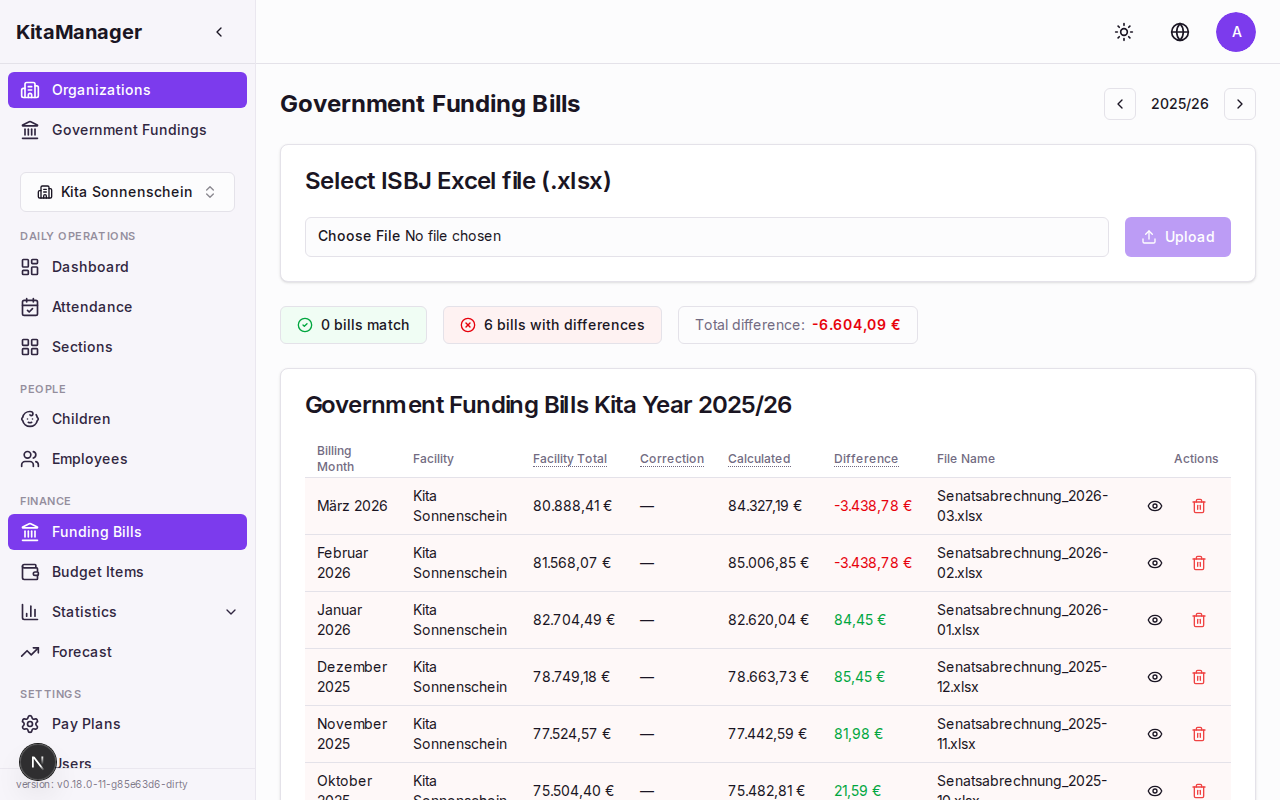
Funding bills filtered by Kita year with match/difference summary.
Click on a bill to see the per-child comparison with status badges and mismatch indicators.
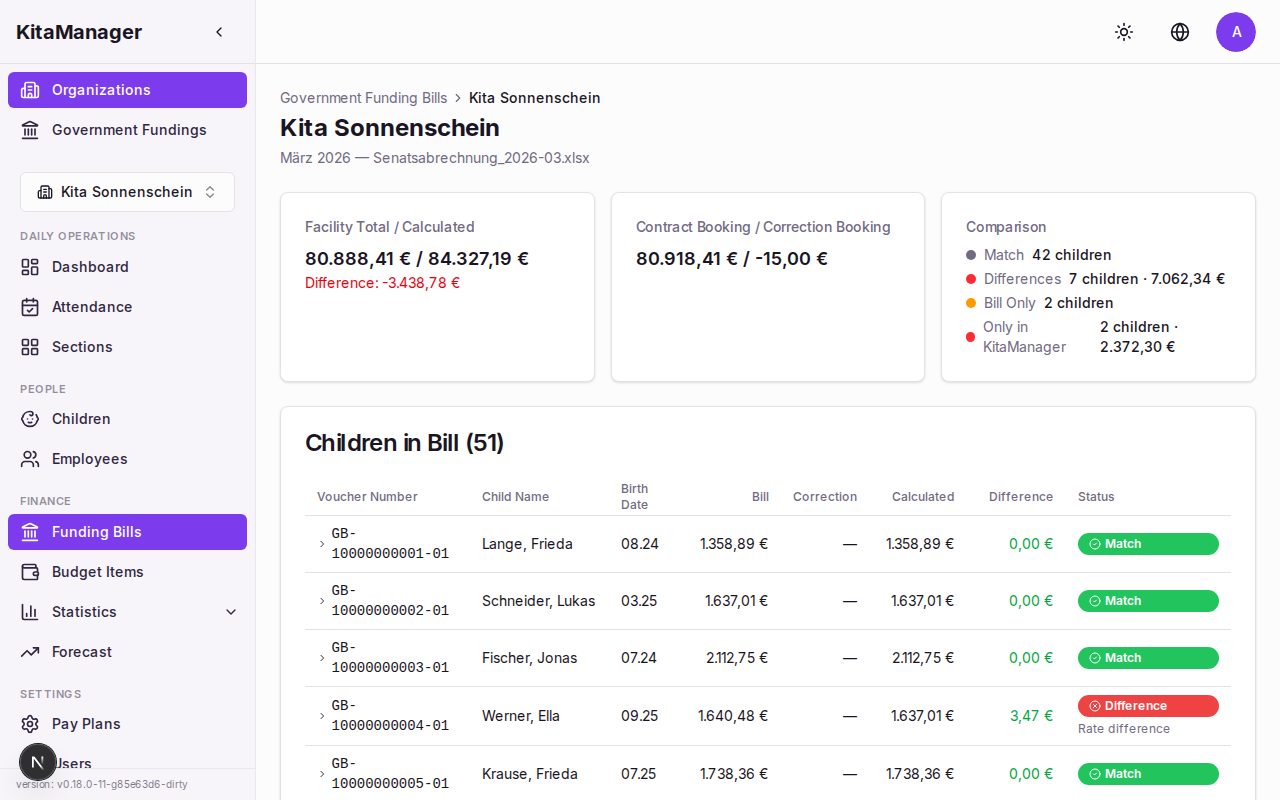
Per-child comparison showing billed vs. calculated amounts.
Child Billing History
View the complete billing history for an individual child across all uploaded bills.
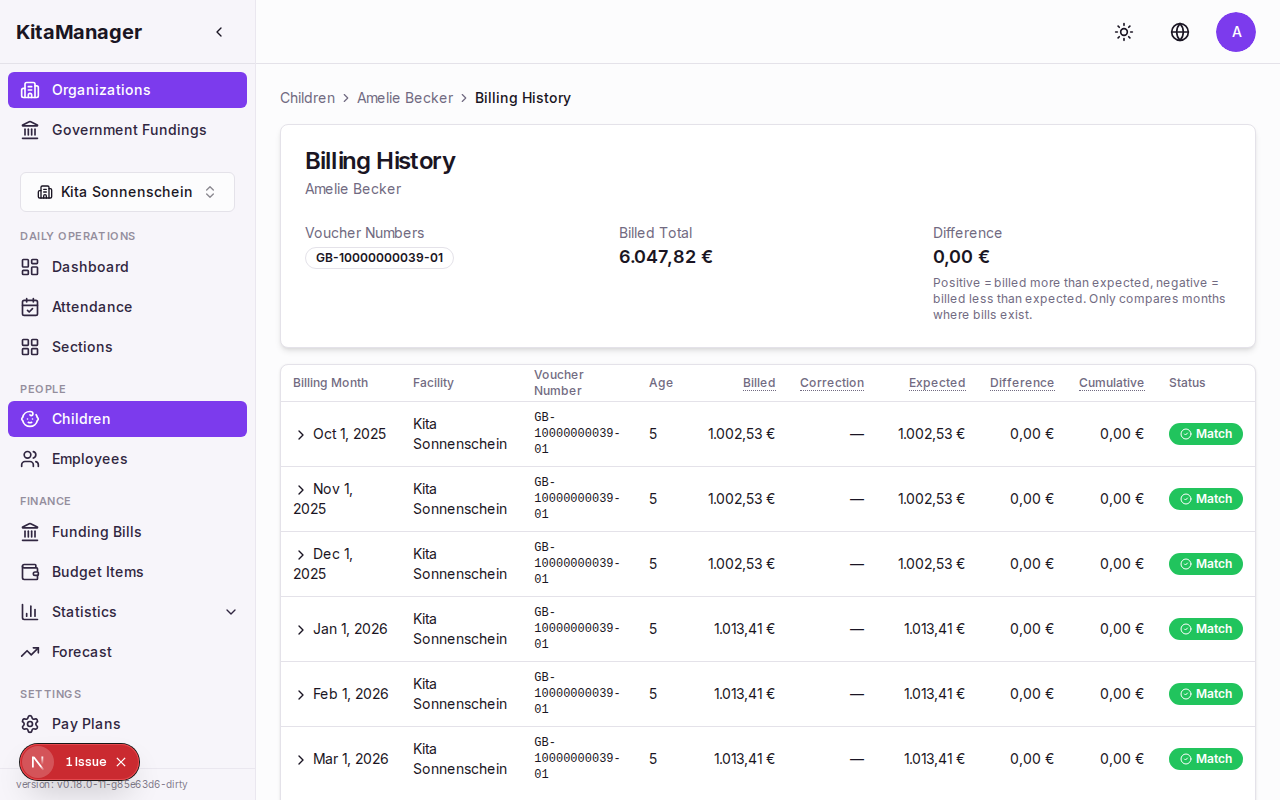
Billing history for a child with running difference tracking.
Forecast
Model what-if scenarios to plan your Kita’s financial future. The optimizer finds the minimum number of children needed to reach your target balance.
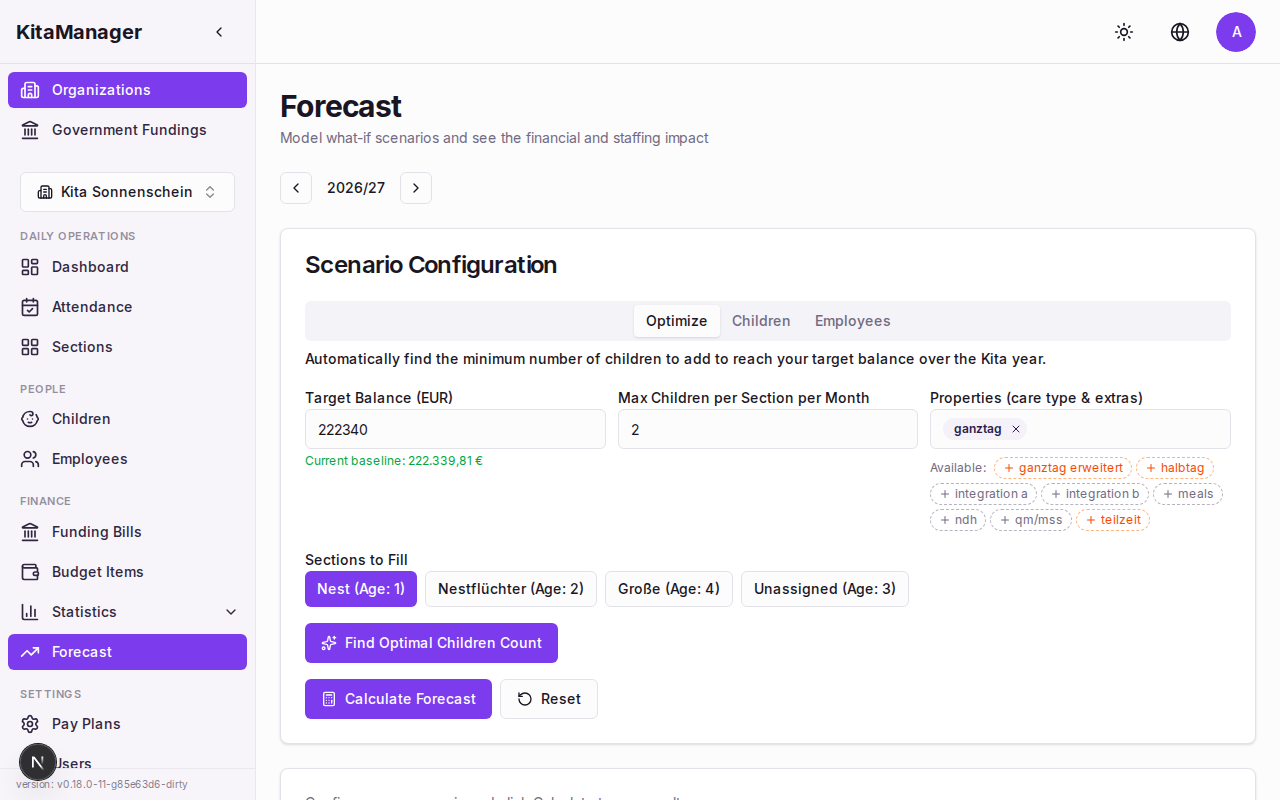
The forecast tool with target balance, baseline context, and section selection.
Government Funding Rates
Configure the government funding rates for your state. Each entry maps child properties to a monthly funding amount.
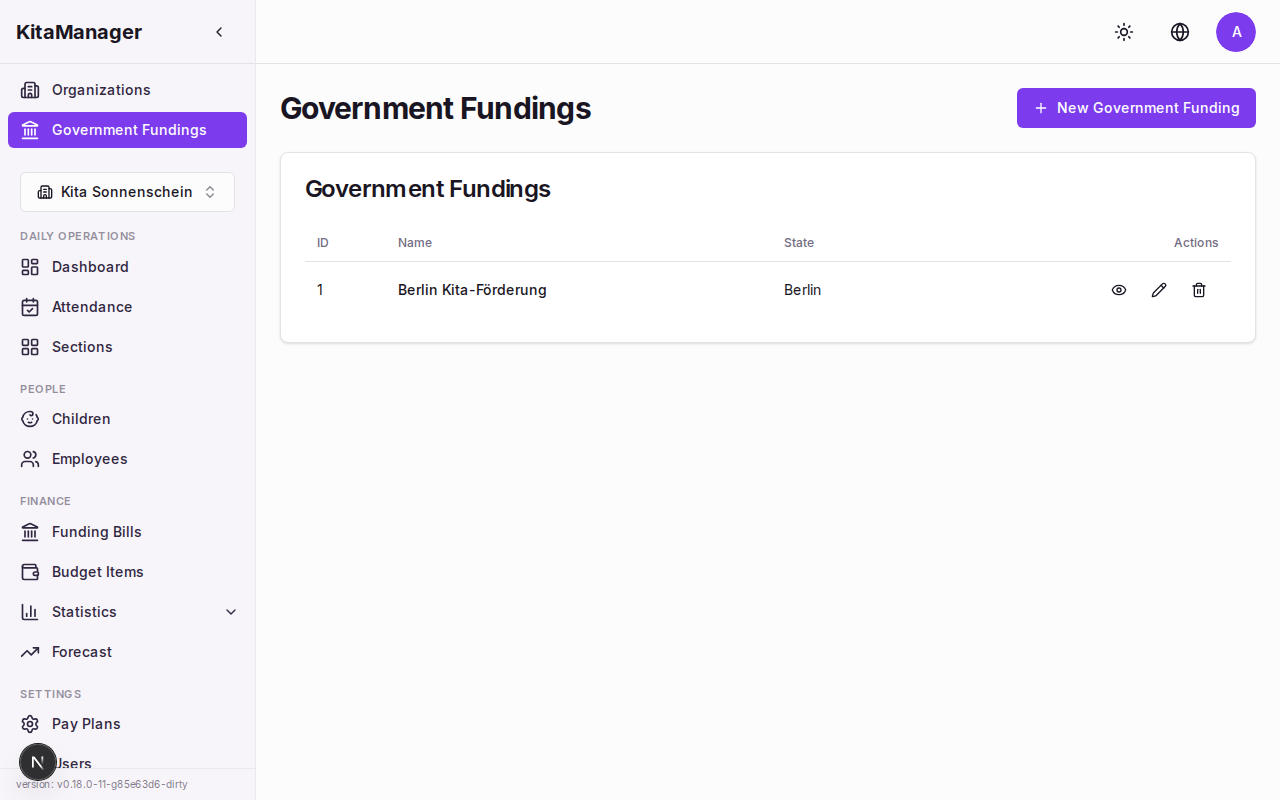
Government funding configurations by state.
The detail view shows periods, age ranges, and payment amounts per property.
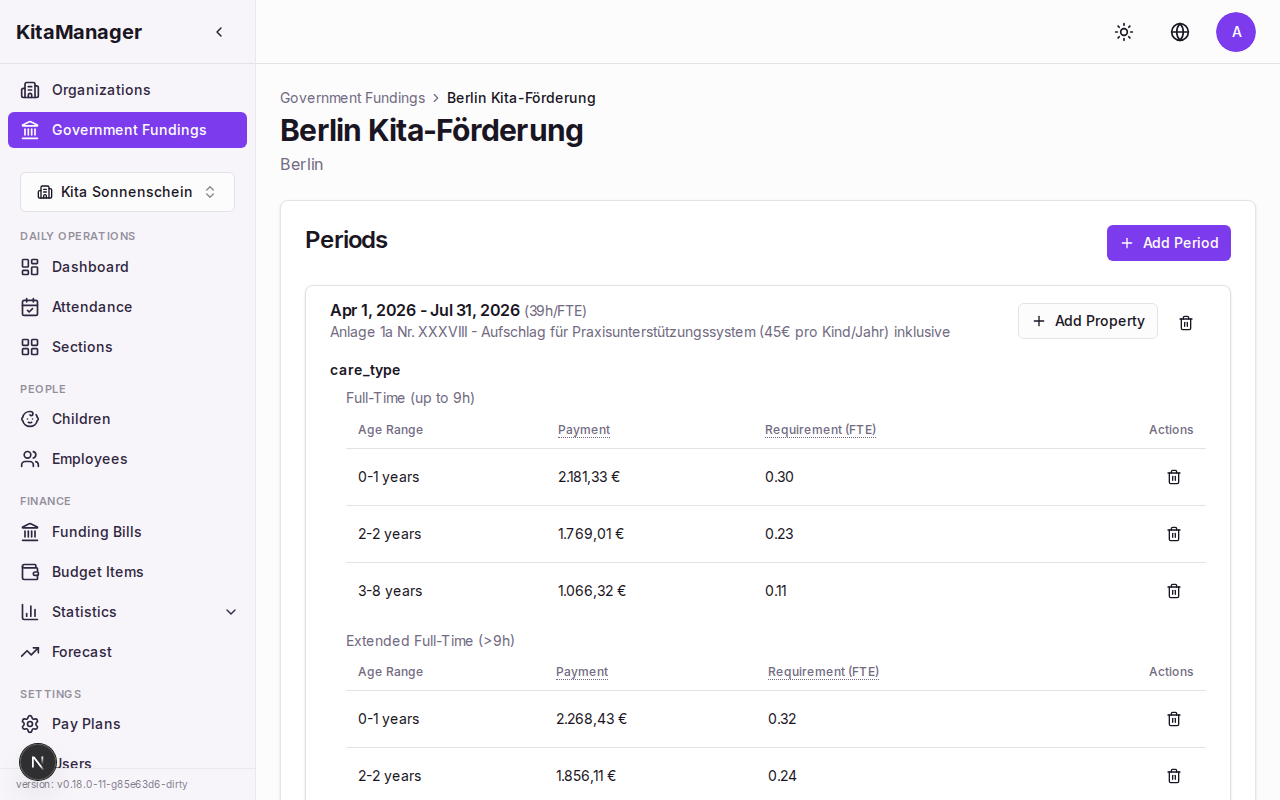
Detailed funding rates with age ranges and payment amounts.
Pay Plans
Pay plans define salary grades and steps for your staff, typically based on the TVöD-SuE scale.
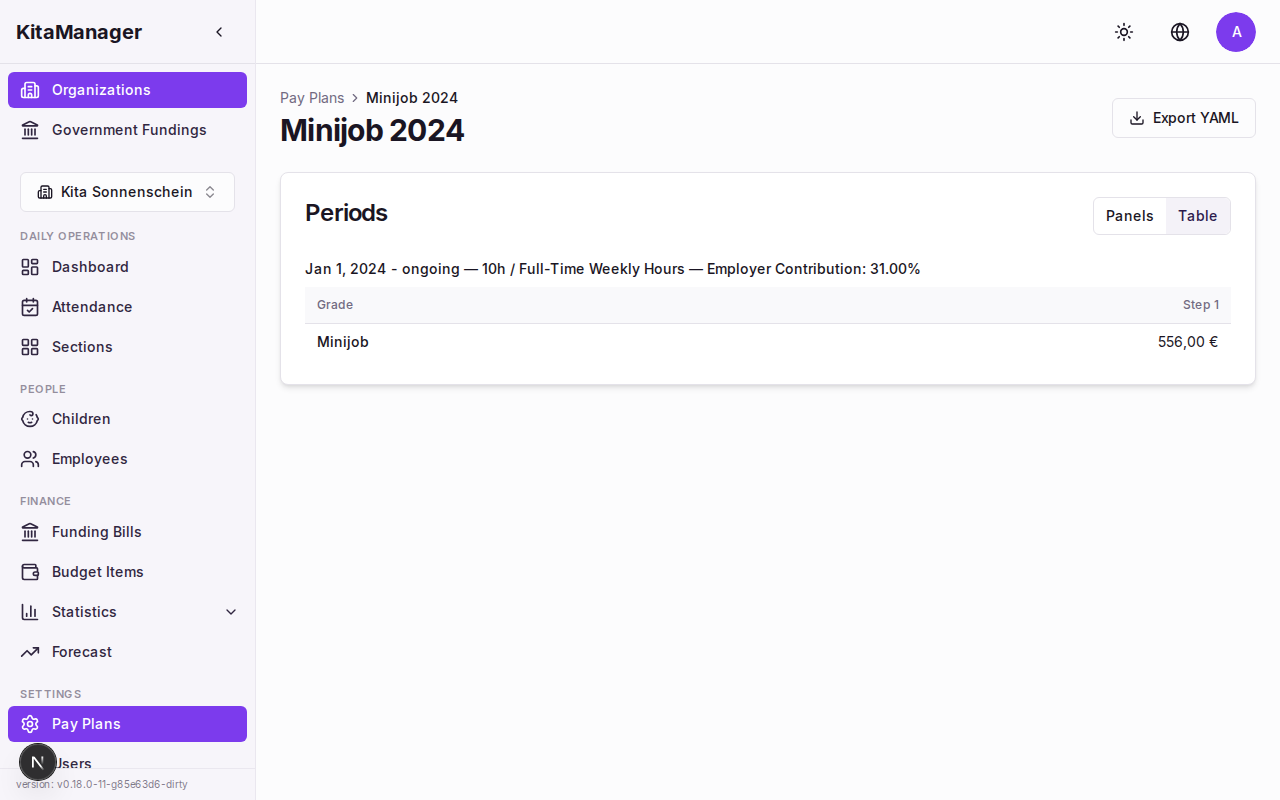
Pay plan showing salary grades, steps, and monthly amounts.